

A full phone storage warning is rarely subtle: failed downloads, no room for photos, and videos that will not save when you need them. The best microSD card for phone use can fix that quickly, but only if your handset has a microSD slot and the card matches what you use it for. A cheap low-capacity card may be fine for documents and a few photos; it is less suitable for recording 4K video or moving apps from internal storage.
Before comparing capacities and speeds, check your phone model. Many recent flagship handsets do not accept expandable storage at all, while some Android phones and budget models support microSD cards up to a stated maximum capacity. Your phone manual or manufacturer specifications will confirm both details.
Best microSD card for phone storage: start with compatibility
A microSD card is physically small, but its specification matters. Most current phones that support expandable storage use microSDXC cards. This format covers capacities from 64GB up to 2TB, although your handset may support a lower maximum. Older phones may only work with microSDHC cards, generally up to 32GB.
Do not assume a 1TB card will work simply because it fits in the tray. If a phone supports cards up to 512GB, choose 512GB or below. Buying within the stated limit avoids formatting errors, missing storage and wasted spend.
Also check whether the phone has a dedicated microSD slot or a shared SIM tray. A shared tray usually means choosing between a second SIM and a memory card. For many UK users on a single-SIM plan, that is no issue, but it is worth checking before ordering.
Internal storage and expandable storage are not always the same
Android phones may let you use a card as portable storage or adopt it as internal storage. Portable storage is the straightforward option: photos, videos, music, downloads and files can be saved or moved to the card, and the card can be read elsewhere with a compatible card reader.
Adoptable storage encrypts the card for that phone and treats it more like built-in capacity. It can allow some apps to move over, but performance depends heavily on card speed. Removing the card can stop apps and files working, and it will not be easy to read on another device. Unless you specifically need more app space, portable storage is usually the more convenient choice.
Choose capacity around the way you use your phone
Capacity is the first decision for most buyers. More storage gives you breathing room, but there is little value in paying for 1TB if you only need room for holiday photos and a music library.
For occasional photos, messaging media, documents and offline playlists, 64GB is a sensible low-cost starting point. It suits a spare card or a phone that already has reasonable internal storage.
128GB is the best all-round choice for many people. It provides useful extra room for regular photos, downloaded programmes, music and everyday files without a large jump in price. If you regularly clear your gallery or back up images, 128GB should last well.
Choose 256GB if you take lots of photos and video, keep large offline downloads or want fewer storage warnings. It is a practical sweet spot for busy family phones, commuters who download entertainment, and anyone who would rather not manage files every few weeks.
For serious mobile photography, extended trips, large media libraries or 4K video, 512GB and 1TB cards make more sense. These capacities cost more, so it pays to buy a recognised brand and confirm your handset supports them. A large card is also useful if you move files between a phone, tablet, drone or camera, though each device needs compatible formatting and performance requirements.
Speed ratings that matter on a phone
Capacity tells you how much a card can hold. Speed ratings tell you how reliably it can handle data while your phone is recording video, taking burst photos or accessing files. Product packaging often shows several symbols, but you do not need to decode every one.
Look first for a Class 10 rating. This is the sensible minimum for modern phone storage, offering a minimum sustained write speed of 10MB/s. It is suitable for standard photos, Full HD video and general file storage.
For 4K video recording, choose a card with a U3 or V30 rating where your phone supports 4K recording to external storage. V30 means a minimum sustained write speed of 30MB/s, helping prevent interrupted recordings or a camera message that the card is too slow. A card may advertise a very high maximum read speed, but sustained write speed is the figure that matters most when recording video.
A1 and A2 ratings are designed for application performance. They indicate that a card can handle many small read and write operations more effectively than a standard card. An A1-rated microSD card is a good fit when you intend to store apps, while A2 can offer better performance in compatible devices. It depends on your phone and its software support, so treat A2 as a useful extra rather than a reason to ignore capacity or video speed.
Most phones use UHS-I cards. You can buy faster UHS-I cards with strong read speeds for quicker transfers to a computer or card reader, but the phone itself may not use the headline maximum speed. This is normal. A quality UHS-I card from Samsung, SanDisk or Kingston remains a dependable choice for most Android handsets.
Which card is right for your use?
For simple storage expansion, a reliable 64GB or 128GB Class 10, U1 card is usually enough. It keeps costs sensible while providing room for images, files and downloads.
For an everyday phone that records plenty of clips and keeps offline media, choose a 128GB or 256GB U3/V30 card. This gives better headroom for video and is a more flexible option if the card later moves to an action camera, tablet or Nintendo Switch.
For app storage and heavier use, look for 128GB, 256GB or 512GB with an A1 or A2 rating, alongside U3/V30 where video performance is also needed. Faster cards are not always essential, but they are a worthwhile investment when your phone relies on the card daily.
For high-capacity storage, buy based on verified compatibility first, then choose a reputable brand. A genuine branded 512GB card with the right speed class is better value than an unknown 1TB card with vague claims. Storage failures are frustrating at any capacity, but they are far more costly when thousands of photos are involved.
Avoid the common buying mistakes
The lowest-priced card is not automatically the best value. Unbranded cards with unusually high capacity claims can be counterfeit or unreliable, showing more space than they can actually store. Files may appear to copy successfully, then become corrupted once the real capacity is exceeded.
Buy from a specialist retailer and choose recognised brands with clear capacity and speed specifications. Keep the packaging and test a new card promptly by copying photos or video onto it, then reading them back. If the card will hold irreplaceable images, use it as extra storage rather than your only copy. Back up your phone to a computer, cloud service or external drive regularly.
Formatting also matters. New cards are normally ready to use, but formatting them in the phone can help ensure the correct file system and folder structure. Copy any existing files off first, as formatting erases the card. If your phone reports that a card is damaged, try a fresh format only after recovering anything important.
A practical buying checklist
Check that your exact phone has a microSD slot and supports the capacity you want. Select 128GB for a balanced everyday upgrade, 256GB for heavier media use, or 512GB and above for demanding storage needs. Choose Class 10 as a minimum, U3/V30 for dependable 4K recording, and A1 or A2 if app performance is a priority.
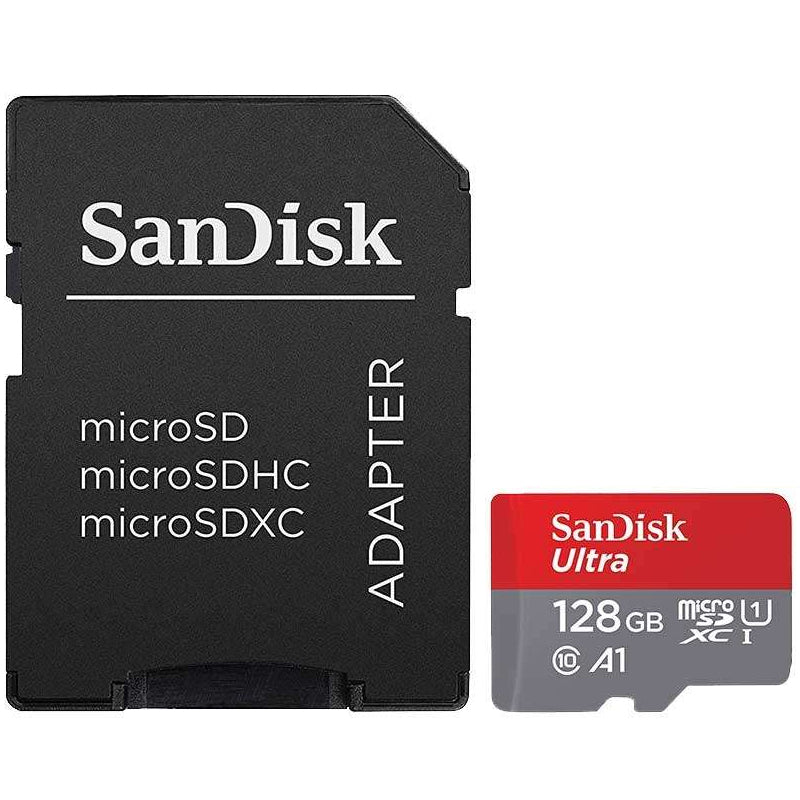
Finally, consider how you will transfer files. A microSD card with an SD adapter is useful for laptops and cameras with a full-size SD slot, while a USB-C card reader is a simple addition for moving photos to newer laptops or tablets. MyMemory stocks cards across capacities and speed classes, making it easier to match the specification to the device rather than buying on capacity alone.
The right card should quietly make your phone easier to live with: more room for the photos you keep, the downloads you actually watch, and the videos you do not want to delete just yet.

